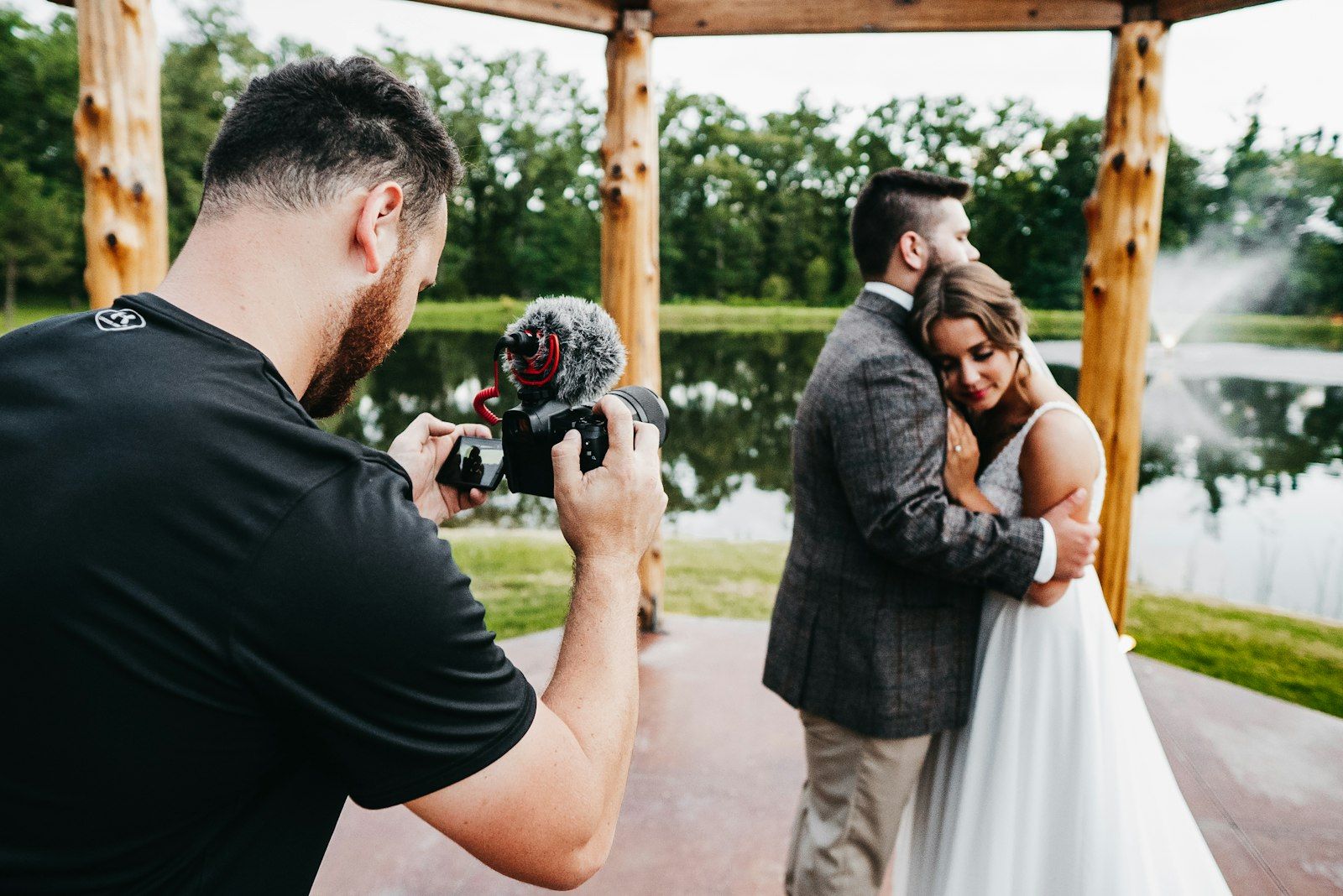
A videographer filming a bride and groom embracing by a lake during golden hour

For wedding filmmakers

You filmed the day.
We'll do the first pass.

Proxy Labs syncs your cameras by sound, finds the vows and laughter, and sets aside the clips you'd never use. Open DaVinci Resolve or Premiere Pro with the good parts already in view.

Download for Windows See how it works

Free while in beta · Fast local AI · Windows 10 & 11

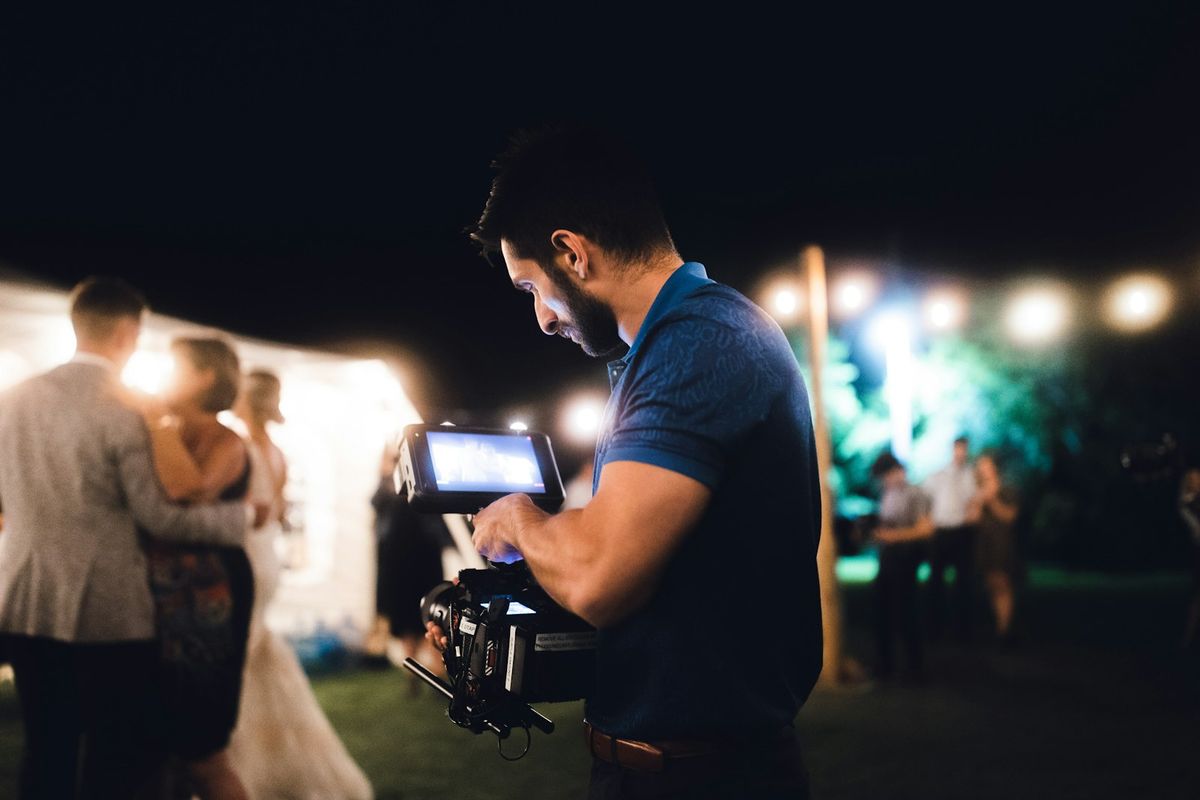
A videographer with a gimbal filming a couple at night under string lights

The part of the job nobody sees

After a twelve-hour day you come home with three cameras, audio recorders, and hundreds of clips. Before any storytelling can begin, someone has to line it all up, scrub through it for the keepers, and throw out the lens-cap takes.

That's usually you, late at night. Proxy Labs takes that evening back.
Where Proxy Labs fits

It's the step between copying the cards and opening your editor. Proxy Labs handles the prep; you edit in the software you know.

1 · Ingest

Copy the cards

One folder per camera and audio recorder.

2 · Proxy Labs (Local AI)

The first pass

Sync every angle by sound, highlight the vows, and set aside unusable footage.

3 · Your editor

Edit the film

Open the synced timeline with pick markers and transcripts in DaVinci Resolve, Premiere Pro, or Final Cut Pro.

What Proxy Labs does

The tedious first pass, done in minutes. Every decision stays yours.

Sync

Every camera and recorder, lined up by sound

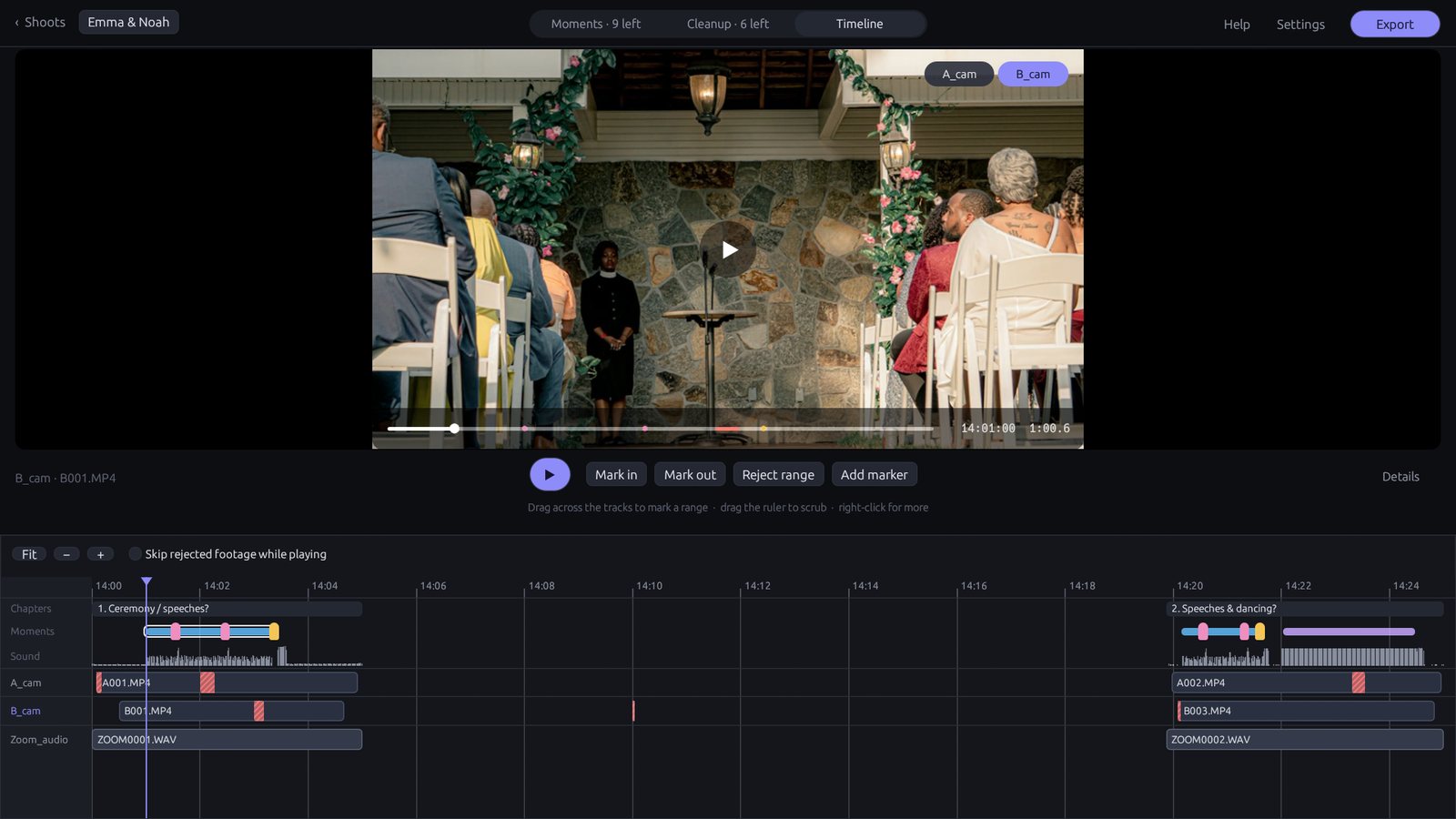
Drop in the folder with the day's cards. Proxy Labs matches audio signatures across cameras and external sound recorders in seconds—even with drifting clocks or start-stop takes. The job PluralEyes used to do, built for modern wedding shoots.

Sub-frame alignment on real ceremony audio

Proxy Labs timeline showing cameras and audio recorder lined up

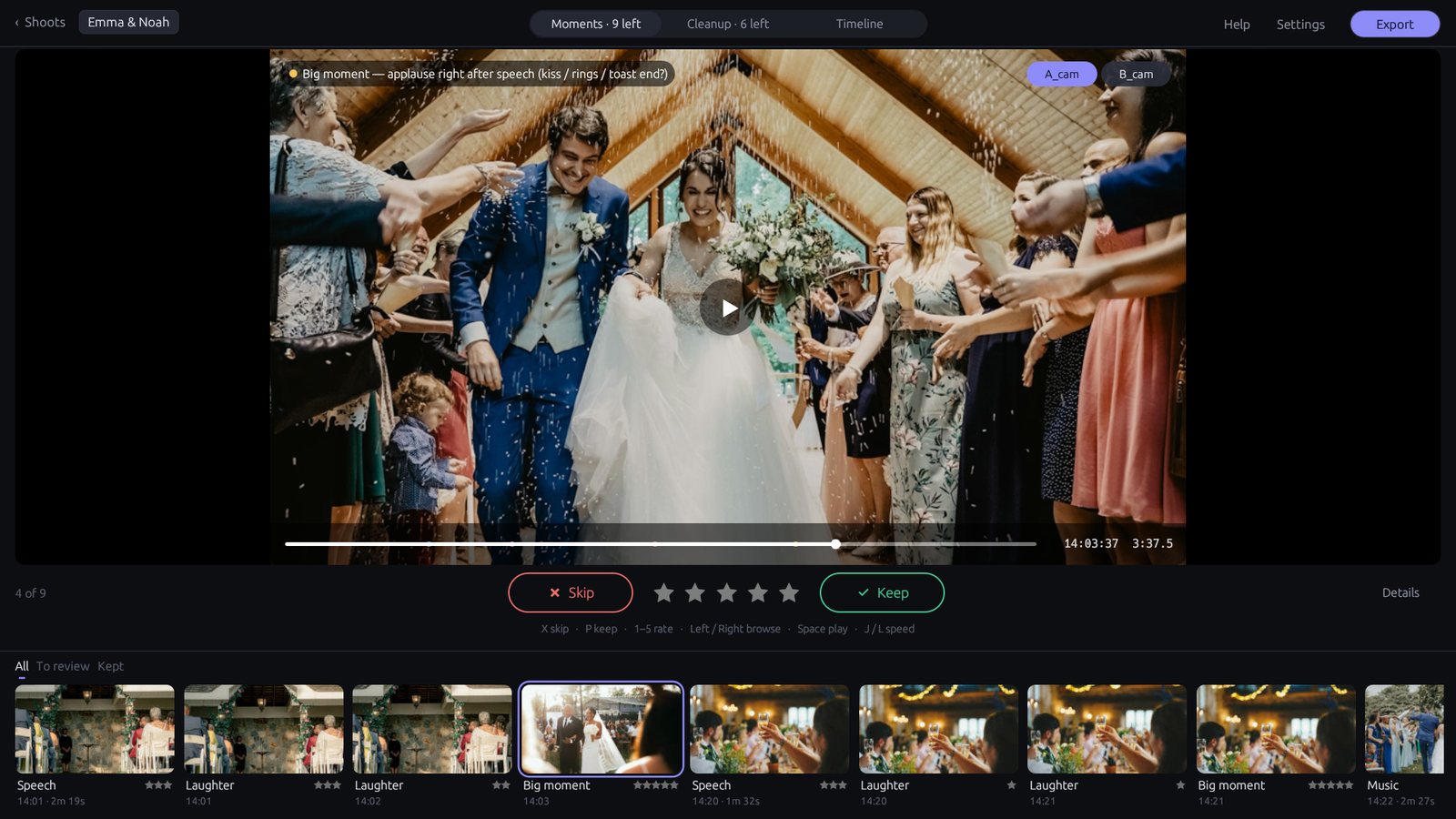
Moments

The vows, the laughs, the big moments, found for you

Review key moments at 1.5× or 2× speed with pitch-corrected audio. Wedding vows and toasts come with searchable transcripts, while crowd laughs and cheers are pinned right to your timeline.

P keep · X skip · J L speed

Proxy Labs moments interface showing vows and speech highlights

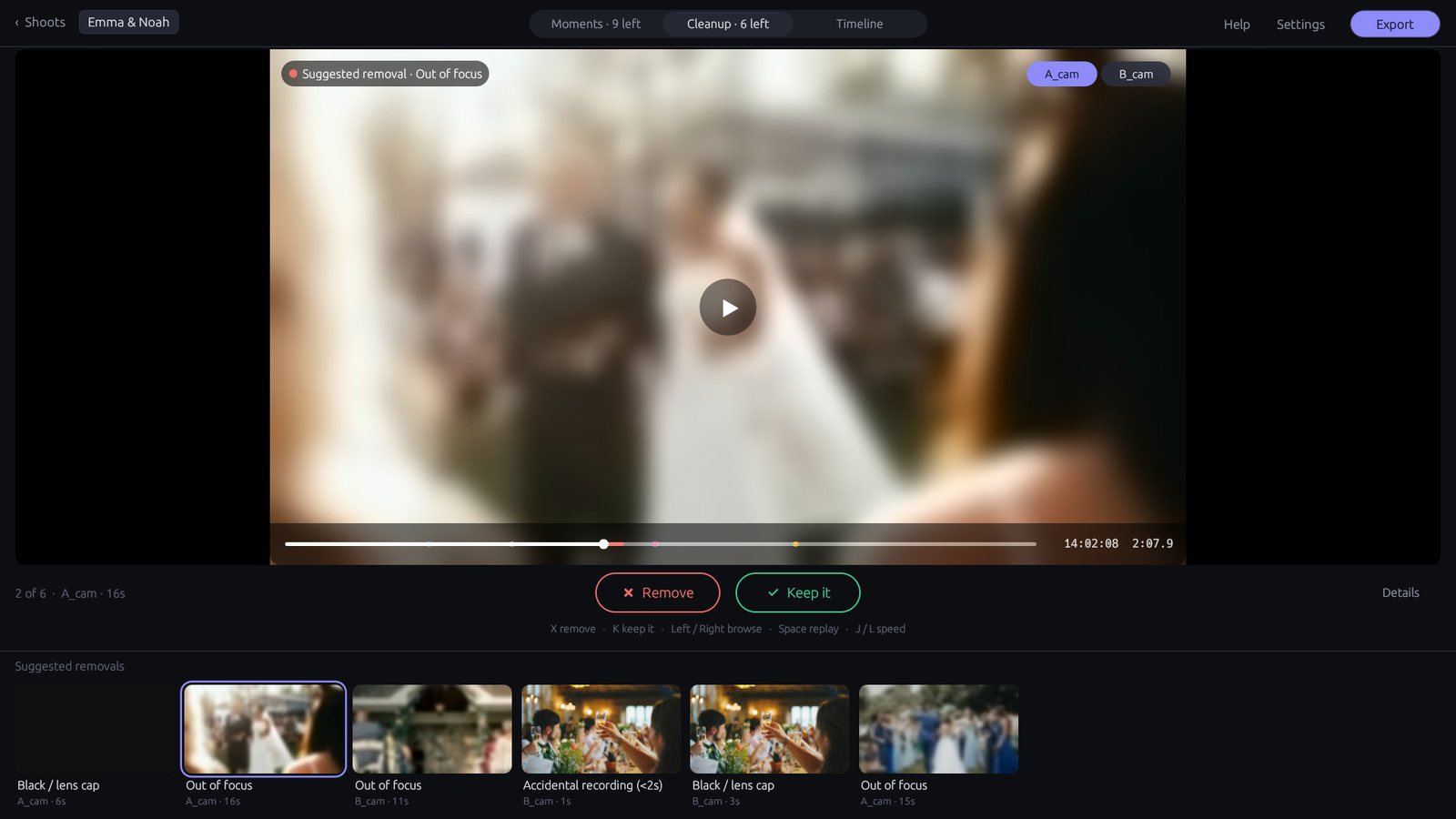
Cleanup

The unusable footage, set aside

Lens-cap shots, focus hunting, and shaky camera movements are flagged for you to confirm. Nothing is deleted—unusable takes are simply left out of your selects timeline.

Press K to restore any clip at any time

Proxy Labs cleanup screen showing an out-of-focus shot flagged for removal

Why Proxy Labs

Built for wedding filmmakers who want to spend their time telling stories, not organizing files.

Fast local AI

Runs entirely on your computer's hardware. No waiting hours to upload 200 GB of client video, no cloud queues, and zero subscription data limits.

DaVinci Resolve & Premiere

Export ready-to-edit XML timelines directly to DaVinci Resolve, Adobe Premiere Pro, and Final Cut Pro with all angles synced and bad takes muted.

100% private

Your client's special day never leaves your PC. All video analysis, speech transcription, and audio matching happen completely offline.

You make every call

It suggests; you decide. Nothing is permanently cut, deleted, or altered without your say-so, and anything can be undone with one key.

Upfront & Transparent

How we use AI (and what stays on your PC)

Proxy Labs is built for professionals who handle sensitive client video. We believe in complete transparency about every model running under the hood.

100% Local Inference

Every algorithm runs locally on your PC. No media, face embeddings, audio snippets, or transcripts are ever transmitted to any cloud server.

Open, Disclosed Models

We use vetted open-source models: OpenAI Whisper (speech & vows), Google YAMNet (laughter & cheers), and YuNet + SFace (face grouping).

Human in the Loop

Proxy Labs proposes; you decide. Nothing is permanently cut, deleted, or altered without your explicit direction.

Client Privacy First

Face groupings are used solely to organize clips into bins on your local machine and can be completely wiped at any time with one click.

Questions

Is any footage or client data uploaded to AI servers?

Never. 100% of video processing, audio synchronization, speech-to-text, and face grouping runs offline on your own PC. No frames or audio ever leave your machine.

How does Proxy Labs export to DaVinci Resolve and Adobe Premiere Pro?

Proxy Labs exports universal FCP7 XML (xmeml v4) and FCPXML 1.10 files. In DaVinci Resolve or Adobe Premiere Pro, simply go to File ➔ Import ➔ Timeline. You get two ready-to-edit sequences: Synced (all cameras aligned with bad takes muted) and Selects (story-focused edit with vow markers and transcripts attached).

What is the best alternative to PluralEyes for wedding videography in 2026?

Proxy Labs is the modern replacement for PluralEyes. Following Maxon's discontinuation of PluralEyes, Proxy Labs delivers fast, reliable audio waveform synchronization for multi-camera wedding shoots. Beyond syncing, it also flags blurry or shaky takes and detects vows, speech, and laughter.

Can I overrule the AI suggestions?

Yes, at any moment. Proxy Labs is strictly an editorial assistant: if the AI flags a clip as out of focus but you want to keep it, one keypress (K) restores it.

Does it edit the film for me?

No, and that's by design. Proxy Labs handles the tedious first pass and hands you a clean, organized timeline. The creative storytelling stays entirely yours.

What cameras and audio formats are supported?

Standard video formats including MP4, MOV, MXF, MTS, and ProRes from Sony, Canon, Panasonic, Blackmagic, RED, DJI, and GoPro, plus WAV, MP3, and AAC audio from Zoom, Tascam, DJI Mic, and Rode Wireless recorders.

What do I need to run it?

A Windows 10 or 11 PC (64-bit). The setup includes automatic installation of FFmpeg and offline AI models (~250 MB).

What does it cost?

Proxy Labs is completely free during the public beta. All we ask for is your honest feedback.

Whenever you're ready

Try it on the footage from your next wedding.

Download for Windows

Free while in beta · Windows 10 and 11